Digital environments quickly accumulate unseen clutter that slows down both devices and daily productivity. A methodical approach to organizing virtual spaces creates a more focused and efficient technological experience. Implementing simple daily or weekly maintenance habits prevents the buildup of unnecessary files and notifications. The following strategies provide actionable steps to reclaim storage space and improve mental clarity across all devices.
Email Unsubscribe Routine

Mass unsubscribe tools help quickly eliminate promotional emails from crowded inboxes. Removing yourself from daily marketing lists drastically reduces the volume of new messages requiring attention. A cleaner inbox allows important personal and professional correspondence to remain highly visible. This practice reclaims valuable time previously spent deleting unwanted daily advertisements.
Desktop Icon Consolidation

A cluttered computer desktop creates visual distraction and slows down file retrieval. Moving stray documents into designated master folders instantly creates a clean workspace environment. Utilizing a minimalist background image further reduces visual noise on the primary screen. An organized desktop encourages a more focused mindset upon starting the computer each morning.
Unused Application Deletion

Smartphones and computers often harbor downloaded programs that remain untouched for months. Deleting these forgotten applications frees up significant storage space and improves overall system performance. Reviewing usage statistics helps identify which software provides no daily value. Removing obsolete tools leaves only the most essential resources readily available.
Notification Silence Strategy

Constant alerts disrupt concentration and fragment attention spans throughout the workday. Turning off nonessential app notifications immediately restores long periods of uninterrupted focus. Leaving sound alerts active only for crucial contacts ensures urgent messages still receive prompt responses. This selective approach transforms the device from a demanding master into a quiet tool.
Photo Backup System

Thousands of duplicate images quickly consume premium local storage capacity. Transferring image libraries to a dedicated external drive or cloud service safeguards valuable memories. Deleting blurry outtakes and repetitive shots trims the collection to only the best captures. A streamlined gallery makes finding specific photographs a simple and pleasant task.
Password Manager Adoption

Tracking dozens of complex login credentials across various platforms becomes unmanageable over time. A dedicated password manager securely stores all account details behind one master key. This software automatically generates strong unique phrases for new registrations to enhance personal security. Consolidating credentials eliminates the frustration of frequent password reset requests.
Cloud Storage Purge

Virtual drives easily become dumping grounds for random downloads and outdated project files. Sorting documents by date allows for rapid identification of old materials ready for deletion. Creating clearly named folders establishes a permanent logical home for retained files. Regularly emptying the digital trash bin ensures deleted items actually vacate the storage quota.
Social Media Unfollowing

Newsfeeds filled with irrelevant content consume vast amounts of mental energy and scrolling time. Unfollowing accounts that no longer inspire or educate immediately improves the browsing experience. Curating a timeline focused strictly on meaningful connections fosters a more positive digital environment. A streamlined feed naturally reduces the overall time spent on social platforms.
Browser Bookmark Organization

Endless lists of saved web pages make finding useful reference material nearly impossible. Categorizing links into distinct folders by topic creates a highly functional research library. Deleting dead links and outdated articles restores order to the browser menu. A tidy bookmark bar provides instant access to frequently visited daily destinations.
Download Folder Evacuation

The main download directory frequently swells with temporary installer files and abandoned PDFs. Moving required documents to their permanent folders prevents this space from becoming an unsearchable mess. Routinely wiping the entire download folder recovers substantial hard drive capacity. Setting the browser to ask for a save location prevents automatic accumulation of random files.
Tab Limiting Habit

Keeping dozens of internet tabs open simultaneously drains computer memory and scatters focus. Adopting a strict limit on active windows forces immediate engagement with current tasks. Using reading list features saves interesting articles for later without cluttering the active workspace. Closing the browser completely at the end of the day provides a fresh start tomorrow.
Contact List Refresh

Address books accumulate outdated phone numbers and duplicate entries over years of device upgrades. Merging identical contacts creates a unified directory for easy communication. Deleting defunct numbers and casual acquaintances trims the list to actual active connections. Adding updated email addresses and profile photos makes the final list visually appealing and highly useful.
Old Message Archiving

Text message threads containing large media attachments quietly eat away at smartphone storage. Setting messages to automatically delete after one year prevents infinite scrolling histories. Manually saving important photos before wiping group chats preserves memories without keeping the text bloat. Clearing out verification codes and spam texts instantly neatens the main messaging screen.
Newsletter Consolidation

Subscribing to dozens of daily digests overwhelms the morning reading routine. Routing all informational newsletters to a dedicated reading app separates them from urgent correspondence. Selecting only the three most valuable publications ensures the content actually gets read. Unsubscribing from the rest liberates mental bandwidth and speeds up email processing.
Software Update Schedule
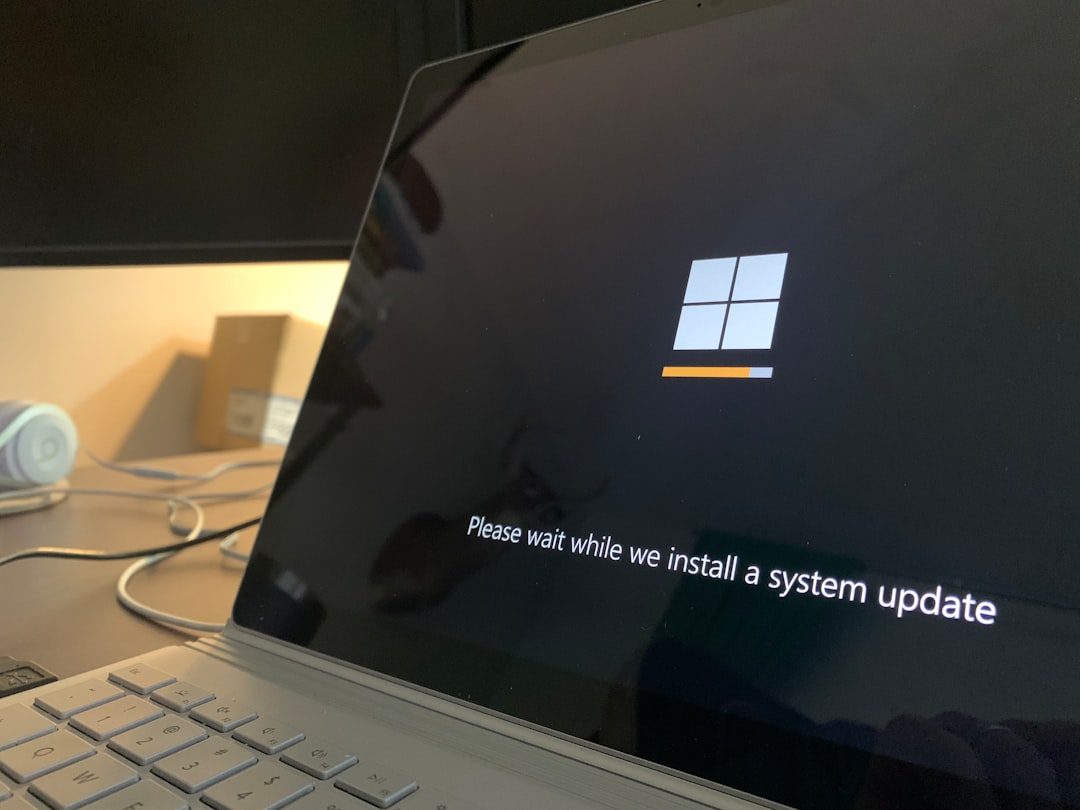
Ignoring system updates leaves devices vulnerable to security threats and performance bugs. Enabling automatic updates during nighttime hours ensures software stays current without interrupting daily work. Deleting outdated program installers after successful upgrades reclaims lost disk space. Running the latest operating system versions guarantees compatibility with newly organized digital files.
Web Cache Clearing

Browsers store massive amounts of temporary data to load familiar websites faster. Clearing this background cache regularly resolves formatting glitches and frees up hidden storage. Removing tracking cookies simultaneously enhances privacy while browsing new domains. A fresh browser environment runs noticeably smoother during heavy research sessions.
Digital Trash Emptying

Moving files to the recycle bin does not actually remove them from the hard drive. Establishing a weekly routine to permanently empty the trash finalizes the decluttering process. Checking the bin contents one last time prevents the accidental loss of important documents. This final step officially reclaims the storage space for future essential needs.
Screen Time Tracking

Integrated digital wellness tools reveal exactly where daily screen hours disappear. Reviewing these metrics highlights applications that demand disproportionate amounts of attention. Setting strict daily time limits on entertainment apps curtails mindless scrolling habits. Awareness of device usage naturally promotes healthier and more intentional screen habits.
Podcast Queue Trimming

Audio application libraries often swell with hundreds of unplayed podcast episodes. Deleting outdated topical shows clears the queue of irrelevant news and past event coverage. Keeping subscriptions limited to truly engaging programs prevents an overwhelming backlog. A curated listening list turns the commute into an anticipated educational experience.
Streaming Watchlist Purge

Video platform watchlists easily grow into impossibly long catalogs of aspirational viewing. Removing movies and shows added months ago reduces the paralysis of choice during leisure time. Limiting the active queue to a handful of current interests makes selecting entertainment effortless. A refined watchlist guarantees relaxing evenings instead of frustrating browsing sessions.
Cloud Folder Standardization

Inconsistent naming conventions make searching for specific cloud documents incredibly frustrating. Adopting a universal format like year followed by project name brings instant alphabetical order. Applying this rule to all existing directories creates a uniform visual structure. Standardized labels allow anyone to navigate the digital filing cabinet with complete ease.
Digital Subscription Audit

Recurring monthly charges for unused digital services quietly drain personal finances. Reviewing bank statements identifies forgotten app subscriptions and premium website memberships. Canceling redundant streaming platforms and duplicate software licenses immediately saves money. Consolidating paid tools ensures every active subscription delivers tangible daily value.
Temporary File Deletion

Operating systems quietly generate thousands of hidden cache files during normal daily operations. Running a dedicated disk cleanup utility safely identifies and removes these invisible space hogs. This deep cleaning process often restores gigabytes of usable room on crowded hard drives. Routine maintenance keeps the underlying system architecture lean and highly responsive.
Reading App Curation

Digital article savers collect hundreds of essays that are never actually read. Archiving pieces older than three months clears out stale ideas and outdated news. Highlighting the top five priority articles creates an approachable weekend reading list. An organized reading library transforms good intentions into actual knowledge acquisition.
Group Chat Management

Endless notifications from large group conversations cause constant digital anxiety. Muting busy social threads prevents phones from buzzing during important meetings or family dinners. Archiving dormant group chats removes clutter from the primary messaging interface. Leaving irrelevant conversational groups entirely establishes firm personal boundaries regarding digital availability.
Abandoned Account Deletion

Old shopping profiles and forgotten forum logins present unnecessary cybersecurity risks. Utilizing account deletion directories helps locate the proper pages to permanently erase user data. Removing financial information from unused commerce sites protects against future database breaches. Closing these dormant accounts minimizes your overall digital footprint across the internet.
Calendar Color Coding

A monochrome digital calendar blends meetings and personal tasks into a confusing wall of text. Assigning specific colors to different life categories provides instant visual comprehension of the day. Using red for urgent work and blue for family time instantly highlights potential scheduling conflicts. A color coordinated schedule brings aesthetic pleasure and precise organization to time management.
Mobile Home Screen Simplification

Dozens of colorful app icons scream for attention the moment a phone is unlocked. Moving all applications except the most essential four tools into a secondary menu reduces distraction. Utilizing a pure black wallpaper minimizes visual stimulation and preserves battery life. A minimal home screen forces intentionality every time the device is picked up.
Smartphone Widget Removal

Interactive home screen widgets constantly update data and drain precious system resources. Removing news tickers and weather animations stops the phone from pushing unrequested information. Keeping only a simple clock or calendar tool maintains basic utility without the visual noise. An interface without widgets provides a calmer and much faster mobile experience.
Browser Extension Audit

Web browsers often drag under the weight of too many installed helper plugins. Disabling extensions that are rarely used speeds up page loading times significantly. Deleting obscure shopping trackers and broken tools secures the browser against malicious data harvesting. A lean browser setup ensures quick and reliable access to the necessary web pages.
Voice Memo Archiving

Audio recording apps quickly fill with untitled snippets and lengthy meeting captures. Renaming important recordings with descriptive titles and dates ensures they remain searchable later. Transferring valuable memos to permanent computer storage secures them against accidental phone loss. Deleting random pocket recordings and outdated reminders reclaims valuable local space.
Note Application Consolidation

Scattered thoughts across five different digital note platforms guarantee lost ideas. Migrating all lists and journals into one central application creates a unified brain dump location. Organizing these notes into broad categories like work or home keeps the interface manageable. A single trusted capture system eliminates the panic of searching for misplaced information.
Digital Receipt Filing

Emailing digital purchase receipts directly to a dedicated financial folder simplifies tax season preparation. Creating subfolders for specific tax years automatically organizes expenditures chronologically. Deleting generic order confirmations while saving the actual invoices reduces total file count. This proactive filing habit replaces the stress of searching through main inboxes later.
Spam Filter Optimization

Junk mail constantly slipping into the primary inbox disrupts the flow of communication. Manually marking unwanted messages as spam trains the email provider to recognize future intrusions. Reviewing the junk folder weekly ensures legitimate messages were not accidentally caught by the filter. A highly trained spam filter acts as an invisible shield against digital clutter.
Offline Map Purge

Navigation applications allow users to download massive regional maps for offline travel usage. Deleting these heavy files after returning from a trip instantly frees up gigabytes of memory. Retaining only the map of your immediate local area provides necessary backup without the bloat. Managing offline data ensures the navigation tool remains lightweight and responsive.
Auto Play Deactivation

Video platforms and social media sites naturally automatically play content to maximize user retention. Disabling this feature across all applications prevents infinite scrolling loops and saves cellular data. Forcing a manual click to start a video returns control of media consumption to the user. This simple settings adjustment dramatically reduces the time wasted on unintended viewing.
Location Services Restriction

Dozens of mobile applications constantly track background location data for unnecessary reasons. Restricting GPS access to only navigation and weather tools enhances personal privacy. Setting permissions to allow location access only while using the app saves significant battery life. A locked down location profile minimizes the hidden background activity cluttering the device processor.
Background App Refresh Control

Applications routinely download fresh data in the background even when completely closed. Turning off background refresh for social media and games prevents them from hogging system memory. Allowing only email and messaging tools to update silently ensures critical notifications still arrive. This restriction makes older devices feel noticeably faster and more efficient.
Digital Detox Scheduling

Continuous connection to digital realms creates a subtle but constant psychological burden. Programming the internet router to turn off at midnight enforces a hard stop to nighttime browsing. Utilizing device downtime features blocks access to distracting apps during designated rest periods. Regularly scheduled offline hours provide the brain with necessary space to reset and recharge.
Search History Erasure

Browsers and applications save every entered search query to build complex user advertising profiles. Clearing recent search histories frequently protects privacy when sharing devices with colleagues or family. Pausing web activity tracking within account settings stops the endless accumulation of data points. A clean search history removes the creepy sensation of being constantly monitored by algorithms.
Cookie Preference Management

Accepting all cookies on every visited website clutters the browser with intrusive tracking scripts. Taking a moment to reject nonessential cookies blocks external data collection at the source. Installing an automatic cookie blocking extension handles this tedious task invisibly during web surfing. Managing these preferences creates a cleaner and significantly more private online experience.
Music Playlist Curation

Massive chaotic music libraries make finding the right song for a specific mood impossible. Creating highly focused playlists for distinct activities like working out or studying streamlines audio selection. Deleting downloaded albums that are consistently skipped frees up significant storage on mobile devices. A thoughtfully curated audio library guarantees the perfect soundtrack is always one click away.
Secondary Authentication Organization

Security applications generate vital login codes but often become cluttered with inactive accounts. Removing generator tokens for deleted or obsolete profiles tidies the authenticator interface. Renaming remaining tokens with clear labels prevents confusion during urgent login attempts. A clean security app makes accessing protected digital accounts both safe and highly efficient.
Cloud Collaboration Cleanup

Shared digital workspaces quickly accumulate abandoned drafts from past team projects. Removing yourself from old collaborative folders cleans up the personal cloud storage view. Transferring ownership of completed documents to the primary archivist maintains order for the whole team. Exiting finished projects reduces the mental load of seeing irrelevant files daily.
Routine Backup Verification

A disorganized digital life often results in failed or corrupted system backups. Manually verifying that the automated backup system captures only the newly organized essential files ensures data safety. Testing a file restoration confirms the safety net actually functions properly before an emergency happens. A clean and verified backup provides ultimate peace of mind regarding digital assets.
Please share your most effective digital organization habits and strategies with our community in the comments.