The rapid evolution of artificial intelligence has introduced sophisticated methods for scammers to exploit personal data. Cybercriminals now utilize machine learning to mimic voices and generate convincing deepfakes that trick even the most vigilant users. Protecting your identity requires a shift from basic password hygiene to a comprehensive digital defense strategy. These proactive measures focus on limiting your digital footprint and validating communication channels against AI manipulation. Adopting these habits ensures your personal information remains secure in an increasingly synthetic online world.
Establish a Family Safe Word

Artificial intelligence can now clone the voices of your loved ones with terrifying accuracy. You should agree upon a specific word or phrase that only your immediate family members know. This code word serves as an immediate verification tool if you receive a distressed call demanding money or information. Requesting this word immediately exposes a scammer using voice synthesis technology. It is a simple yet effective layer of defense against sophisticated audio fraud.
Utilize Hardware Security Keys

Physical security keys offer a stronger level of protection than SMS codes or authenticator apps. These small devices require you to physically plug them in or tap them to access your accounts. Hackers cannot replicate this hardware even if they manage to steal your login credentials through AI phishing. Many major tech platforms and financial institutions now support this method of verification. It eliminates remote access threats by requiring your physical presence for account entry.
Audit Social Media Privacy Settings

AI bots frequently scrape public profiles to gather data for building convincing personas. You must regularly review who can see your posts and personal information on every platform. Restricting your profile visibility to friends prevents malicious algorithms from harvesting your photos and voice samples. This reduces the raw material available for creating deepfakes or targeted phishing campaigns. Keeping your digital life private is essential for minimizing your exposure to automated data collection.
Implement Biometric Passkeys

Passkeys are replacing traditional passwords by using the unique biometrics already stored on your device. This technology relies on fingerprint or facial recognition to authenticate your identity securely. Since there is no password to steal or phish, AI bots cannot force their way into your accounts. Passkeys are encrypted and stored locally on your device rather than on a server. They provide a seamless login experience that is significantly more secure than typing out characters.
Freeze Your Credit Reports
Freezing your credit is one of the most effective ways to prevent identity thieves from opening new accounts in your name. You can do this by contacting the major credit bureaus and requesting a security freeze. This action locks your credit file so that no lenders can view your history without your permission. It stops automated fraud attempts where bots try to open lines of credit using stolen data. Unfreezing your file is a quick process whenever you genuinely need to apply for a loan.
Use Unique Email Aliases
Creating a unique email address for different services compartmentalizes your digital identity. If one service suffers a data breach the compromised email cannot be used to access your other accounts. Many privacy services allow you to generate random forwarding addresses that mask your real inbox. This prevents AI cross-referencing tools from linking your various online activities to a single profile. It serves as an effective firewall against spam and targeted phishing attempts.
Scrutinize Incoming Calls

Caller ID spoofing allows scammers to make calls appear as if they are coming from legitimate organizations. You should never trust the name or number displayed on your screen blindly. If you receive an unexpected call from a bank or government agency you must hang up immediately. Locate the official number from a statement or website and call them back directly. This practice ensures you are speaking to a real representative rather than an AI voice bot.
Disable Voice Authentication

Many customer service lines now offer voice recognition as a convenient way to verify your identity. You should opt out of this feature because high-quality voice clones can bypass these security measures. Relying on PINs or security questions is currently safer than using your voice as a password. Scammers only need a short sample of your speech to train an AI model to mimic you. removing this vulnerability protects your financial accounts from audio-based intrusion.
Limit Public Video Sharing

High-resolution videos provide the perfect training data for deepfake algorithms. You should be mindful of posting lengthy clips where you speak directly to the camera. Consider limiting these videos to close friends or private groups rather than public feeds. The more audio and visual data you provide publicly the easier it is to clone your likeness. Reducing the quality or duration of public content complicates the process for bad actors.
Install Comprehensive Security Software

Modern antivirus programs now include features specifically designed to detect AI threats. These tools can identify malicious scripts and block phishing sites that use AI to generate convincing content. Real-time scanning protects your device from malware that might harvest your biometric data. keeping this software updated ensures you have the latest definitions against emerging threats. It acts as a necessary barrier between your personal data and automated attacks.
Verify URLs Carefully

AI can generate fraudulent websites that look identical to the login pages of popular services. You must inspect the address bar for subtle misspellings or unusual domain extensions before entering credentials. Scammers use these lookalike sites to capture your username and password in real time. Bookmarking your most frequent sites prevents you from accidentally clicking a malicious link in search results. A careful visual check takes seconds and prevents devastating account takeovers.
Avoid Online Quizzes

Seemingly harmless personality quizzes often collect specific data points used for security questions. Answering questions about your first pet or childhood street gives scammers the answers they need to reset your passwords. AI algorithms aggregate these small details to build a complete profile of your life. You should resist the urge to participate in these viral data harvesting schemes. Protecting your trivia answers keeps your account recovery options secure.
Encrypt Your Internet Traffic

Using a Virtual Private Network masks your IP address and encrypts your online activity. This prevents hackers on public Wi-Fi networks from intercepting your data packets. AI-driven sniffing tools can analyze unencrypted traffic to steal session cookies and login tokens. A reputable VPN service creates a secure tunnel for your information regardless of the network you use. It is a critical tool for maintaining privacy when traveling or working remotely.
Clean Up Old Accounts

Dormant accounts are prime targets for hackers because they often go unmonitored for years. You should list the services you no longer use and go through the process of permanently deleting them. This practice reduces your digital attack surface by removing old data repositories. AI tools often breach weaker legacy systems to find passwords that users recycle elsewhere. Deleting these accounts minimizes the chances of past data coming back to haunt you.
Monitor the Dark Web

Identity monitoring services scan the dark web for your email addresses and personal information. Receiving an alert allows you to change compromised passwords before they are used against you. These services track the vast marketplaces where stolen credentials are sold to the highest bidder. Early detection gives you a significant advantage in securing your accounts post-breach. staying informed about your data exposure is vital for proactive defense.
Enable Transaction Notifications
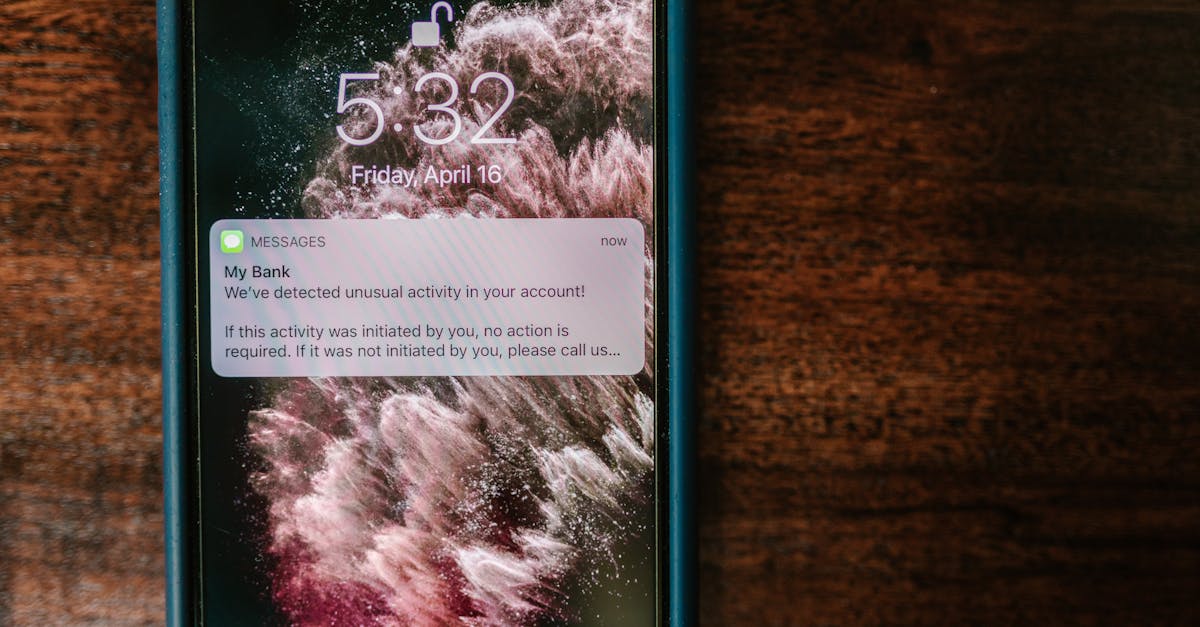
Setting up instant alerts for all financial transactions helps you catch fraud the moment it happens. You will receive a text or email whenever a purchase is made on your credit or debit cards. This real-time feedback loop allows you to report unauthorized activity immediately. AI fraud happens at lightning speed so your reaction time matters immensely. Catching a fraudulent charge early can prevent your accounts from being drained entirely.
Question Urgent Requests

AI phishing emails often use urgency to override your critical thinking skills. Be skeptical of any message demanding immediate payment or threatening legal action. Scammers know that inducing panic makes you more likely to click links or download attachments. Take a deep breath and verify the claim through a separate channel before acting. Pausing to think is often enough to recognize the artificial nature of the communication.
Watermark Your Images

Adding a visible or invisible watermark to your creative work asserts ownership and deters misuse. AI image generators often scrape the web for art to train their models without permission. While watermarks are not foolproof they add a layer of complexity for automated scrapers. This practice signals that the content is protected and monitored by the creator. It helps in proving the origin of your images if they are ever used in deepfake campaigns.
Secure Your Home Network

Your home router is the gateway to all your personal devices and smart appliances. You must change the default administrator password to a complex string of characters. disabling remote management features prevents hackers from accessing your network settings from the internet. Ensuring your router uses WPA3 encryption provides the strongest protection available for Wi-Fi. A secure network foundation protects every device connected to it from external intrusion.
Review App Permissions

Many mobile applications request access to your microphone and camera without a valid reason. You should audit these permissions and revoke access for apps that do not require it for their core function. This prevents malicious apps from recording your voice or surroundings in the background. Limiting sensor access reduces the amount of behavioral data collected about you. It allows you to maintain control over when and how your device observes you.
Use a Privacy Screen
Visual hacking occurs when someone spies on your screen in a public place. A privacy screen filter creates a narrow viewing angle so only the person directly in front can see the content. This prevents bystanders or cameras from capturing sensitive information like passwords or emails. It is a simple physical barrier that complements your digital security measures. protecting your screen content is essential when working in coffee shops or on public transit.
Opt Out of Data Brokers
Data brokers collect and sell vast amounts of personal information to third parties. You can use removal services or manually request that these companies delete your profiles. Removing your data from these aggregators makes it harder for scammers to find your address and phone number. This reduces the success rate of targeted social engineering attacks. Cleaning up these public records is a tedious but necessary step for privacy.
Verify Charity Campaigns

Scammers use AI to generate fake disaster relief websites and heart-wrenching images. You should always research a charity through independent watchdogs before donating money. legitimate organizations have transparent financial records and established histories. donating directly through official websites is safer than clicking links in emails or social media posts. verifying the cause ensures your generosity reaches those in need rather than funding criminal networks.
Be Wary of Unknown USB Drives

Plugging in a random USB drive can instantly install malware on your computer. Cybercriminals sometimes leave infected drives in public places hoping a curious person will use them. This technique allows them to bypass network security and execute code locally. You should never connect a found device to your personal or work machine. handing it over to IT security or destroying it is the only safe course of action.
Update Operating Systems

Software updates frequently contain patches for newly discovered security vulnerabilities. You must enable automatic updates to ensure your defenses are always current. Hackers use AI to scan for outdated systems that are easy to exploit. delaying these updates leaves a window of opportunity for attackers to gain access. Keeping your system current is the baseline requirement for digital hygiene.
Use Virtual Credit Cards

Virtual cards allow you to generate a temporary number for online purchases. You can set spending limits or lock the card immediately after a single use. This protects your actual credit card details from being stored in retailer databases. If a merchant is breached the hackers only get a useless temporary number. It provides excellent financial insulation for shopping on new or unfamiliar websites.
Lock Your SIM Card

SIM swapping is a technique where hackers transfer your phone number to their own device. You can prevent this by setting up a PIN code with your mobile carrier. This code is required before any changes can be made to your account or SIM status. It stops attackers from intercepting your two-factor authentication codes. securing your mobile number is critical since it often acts as the key to your digital identity.
Analyze Email Headers
Sophisticated phishing emails can look identical to legitimate correspondence. You can view the email header to see the true path the message took to reach you. Discrepancies between the sender name and the actual sending server are red flags. AI tools can generate perfect text but they cannot easily forge the server authentication path. Learning to read these headers provides definitive proof of a message’s origin.
Cover Your Webcam

Remote access trojans can allow hackers to watch you through your own webcam. A physical sliding cover ensures that no one can see you even if your software is compromised. This low-tech solution provides absolute certainty regarding your visual privacy. It prevents extortion schemes based on secretly recorded footage. keeping the lens covered when not in use is a standard privacy practice.
Restrict Bluetooth Usage

Bluetooth connections can be exploited to eavesdrop or inject malware into your device. You should turn off Bluetooth functionality whenever you are not actively using it. “Bluebugging” allows attackers to take control of your phone without you noticing. keeping your device discoverable only when necessary minimizes this risk. It closes a wireless entry point that is often overlooked.
Beware of Friend Requests

Fake profiles often mimic real people to infiltrate your social circle. You should verify any friend request from someone you are already connected with as it might be a clone account. AI bots use these connections to scrape data from your friends list. reaching out to the person through a different channel confirms if the request is genuine. keeping your circle tight prevents bad actors from gaining access to your private posts.
Use Encrypted Messaging Apps

End-to-end encryption ensures that only the sender and receiver can read the messages. Apps like Signal or WhatsApp protect the content of your conversations from interception. This prevents AI surveillance tools from scanning your private chats for keywords or data. Even the service providers cannot access the content of your communications. prioritizing encryption keeps your personal discussions truly private.
Disable Link Previews

Link previews in messaging apps can sometimes leak your IP address or expose you to malware. You can disable this feature in the settings of most communication platforms. This prevents your device from automatically connecting to a malicious server when a link is sent. It forces you to make a conscious decision to click and visit a site. disabling previews adds a small but effective hurdle against automated attacks.
Scrutinize Job Offers

AI is used to create realistic but fake job listings to harvest resumes and personal data. You should be suspicious of offers that seem too good to be true or require upfront payment. verify the company exists and check their official career page for the listing. Scammers use these schemes to collect social security numbers and banking details under the guise of employment. protecting your professional history is part of identity safety.
Limit Location Sharing

Constant location sharing builds a pattern of your daily movements and habits. You should only share your location with trusted contacts for specific durations. AI can analyze these patterns to predict where you will be and when your home is empty. reviewing your location settings regularly ensures you aren’t broadcasting your position unnecessarily. restricting this data preserves your physical safety alongside your digital security.
Use a Password Manager

Human memory is not capable of managing unique complex passwords for every account. A password manager generates and stores long random strings that are impossible to guess. This eliminates the temptation to reuse passwords across multiple sites. If one site is breached your other accounts remain secure behind their own unique keys. It is the most practical tool for maintaining strong credential hygiene.
Verify Investment Opportunities

AI generates convincing fake news articles and celebrity endorsements for crypto scams. You must conduct deep research before putting money into any new platform or coin. Scammers use deepfake videos of famous figures to promote fraudulent schemes. ignoring the hype and checking regulatory registrations protects your assets. skepticism is your best defense against high-tech financial fraud.
Check for Data Breaches
Websites like Have I Been Pwned allow you to check if your email has appeared in known data dumps. You should perform this check periodically to understand your vulnerability status. knowing which passwords are out in the wild allows you to change them immediately. It transforms you from a passive victim to an active defender of your data. awareness is the first step in remediation.
Be Careful with QR Codes

Malicious QR codes can direct your phone to download malware or visit phishing sites. You should verify the source of a code before scanning it in public spaces. Attackers often paste their own stickers over legitimate codes on parking meters or menus. using a scanner app that previews the URL offers a moment to verify safety. treating QR codes with the same caution as email links prevents drive-by compromises.
Educate Your Family

Your security is only as strong as the people you communicate with. You should share information about AI scams and deepfakes with parents and children. explaining how voice cloning works can prevent them from falling victim to emergency scams. building a culture of security awareness within your home protects everyone. collective vigilance is far more effective than individual effort.
Secure Your IoT Devices

Smart home devices often lack robust security features and can serve as network entry points. You should segregate these devices onto a guest network separate from your main computers. changing default passwords and keeping firmware updated is essential for cameras and smart speakers. This containment strategy prevents a compromised lightbulb from exposing your banking PC. network segmentation is a pro-level move for home security.
Avoid Public Wi-Fi for Banking

Public networks are inherently insecure and easy to monitor. You should never access financial accounts or enter sensitive data while connected to coffee shop or airport Wi-Fi. If you must connect use your cellular data plan as a hotspot instead. Cellular networks are generally much harder to intercept than open Wi-Fi. keeping sensitive tasks for secure networks prevents easy data theft.
Read Privacy Policies

Understanding how a company uses your data helps you make informed decisions about signing up. You should scan for sections regarding third-party sharing and AI training usage. Many services now explicitly state they use user data to train machine learning models. knowing this allows you to opt out or choose a more privacy-focused alternative. being a conscious consumer forces companies to respect your data rights.
Disable Auto-Download on Media

Messaging apps often automatically download images and videos to your gallery. You should turn this feature off to prevent malicious code hidden in media files from executing. “Zero-click” exploits can compromise a device simply by receiving a file. disabling auto-downloads gives you the chance to vet the sender before the file hits your storage. It is a settings change that significantly hardens your device.
Trust Your Instincts

The most sophisticated AI cannot perfectly replicate genuine human interaction. You should pause if a message feels slightly off in tone or timing. unexpected requests or unusual phrasing are often the only clues to a sophisticated scam. trusting your gut feeling allows you to step back and verify the situation through other means. your intuition remains a powerful tool against artificial deception.
Tell us which security measure you plan to implement first in the comments.




